
What equipment a sales room needs to run the virtual model
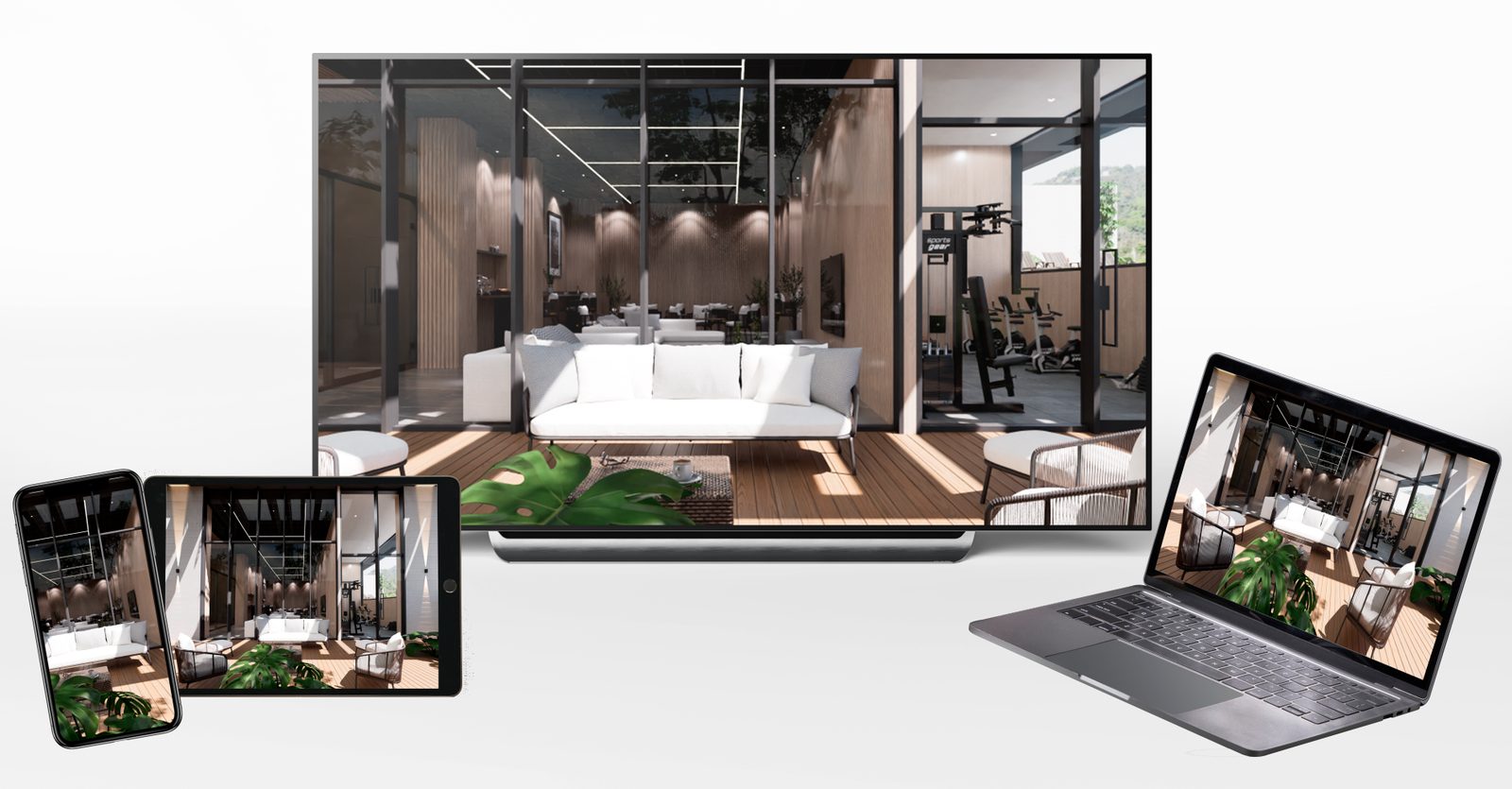
A virtual model can be excellent and still look bad in the sales room. It happens more than you would think: a screen too small for the distance the family sits at, a computer that cannot run the model smoothly, internet that drops on Saturday at eleven, or sound nobody set up. Buyers do not tell the model and the equipment apart: if it looks bad, the project looks bad.
This is the list of what you need, with the criteria for choosing each piece. There are no brands or prices, because they change every year; there are questions that work for any quote.
Want to see this on your project? Book a free demo
The screen: by distance, not by room size
Home theater standards offer a useful rule for a sales room. The recommendation associated with SMPTE is for the screen to fill about 30 degrees of the field of view, which means sitting at about 1.6 times the diagonal; THX suggests about 40 degrees, more immersive, which is close to 1.2 times the diagonal. With a 4K screen you can sit closer without seeing the pixels.
In practice, measure where the family will sit. If the table is about 2.5 meters from the screen, a 65-inch screen (1.65 meters diagonal) falls within range. If the screen goes on a wall viewed standing from the entrance, think 75 or 86 inches. And if you want buyers to touch it, it has to be within arm's reach, so a smaller format or a touchscreen kiosk works better.
Three more details: prefer 4K screens; look for a matte finish or check reflections from the windows at different times of day; and consider a rolling stand if the room layout may change.
The computer or the server: two ways to run the model
The virtual model is a real-time application: every frame is drawn on the spot. A graphics card does that work, and it can sit in one of two places.
- In the sales room. A computer with a dedicated graphics card, connected to the screen. It is the most stable option because it does not depend on the internet. Epic Games, maker of Unreal Engine, publishes workstation-class requirements for developing in the engine; showing a finished project needs much less, and the exact spec is set by the provider according to the size of the model. If the tour uses NVIDIA frame generation, the card has to be from the RTX 40 or 50 series, which are the ones that support it.
- On a server. The model runs in the cloud and the sales room receives video, as we explain in pixel streaming. A simple device or even a browser is enough, but quality depends on the connection: Epic's guide for this technology describes good 1080p quality at 10 to 20 megabits per second, and visible quality changes below 10.
Many sales rooms combine the two: the computer for the main screen and streaming for the tablets and the clients' phones.
Tablets for the rep's table
The big screen is for the presentation; the real conversation happens at the table. A tablet with the same tour lets the rep keep showing while they talk about prices and payment plans: the kitchen with the countertop they chose, the view from the floor they are comparing. A size of 11 inches or more helps two people look at once. If the tour is streamed, the tablet does not need to be high-end; if it runs installed on the device, it does.
Internet and backup
Saturday at eleven in the morning, with the room full, is when the internet goes down. If everything depends on the connection, that is the worst moment to find out. Three measures prevent it:
- A main connection with good upload speed, not just download, if you will run video calls or live streams from the sales room.
- A second backup connection, even if it is a mobile hotspot.
- A local version of the model on the sales room computer, so the main screen works even without internet.
Sound, light and what nobody checks
- Sound. If the tour has music or ambient sound, it should go to zero with a single button. The rep needs to be able to talk without competing.
- Reflections. A screen facing a big window turns into a mirror at three in the afternoon.
- Control. A wireless controller or mouse for the rep, or a touchscreen. Hunting for the keyboard behind the furniture breaks the moment.
- Kiosk mode. When it turns on, it should go straight into the tour, with no desktop or update windows in view.
- Power. A voltage regulator or a UPS so that a power dip does not shut down the computer mid-presentation.
Virtual reality headsets: an add-on, not the foundation
VR headsets impress: the visitor feels the scale of the space and the rest of the family follows along on the screen. But only one person can use them at a time, they need cleaning and adjusting, and not everyone is comfortable wearing them. They work as an extra experience at a launch or for the buyer who wants to feel the real size; the everyday tool is still the screen. We look at this in new technologies to sell apartments.
Equipment summary
| Equipment | What it is for | What to ask when quoting |
|---|---|---|
| Main screen | Presenting to a family or a group | Does it look good from the table and standing? Is it 4K? Does it reflect the window light? |
| Computer | Running the model on the main screen | Which graphics card does the model need to run smoothly for an hour straight? |
| Tablets | Keep showing at the table | Does the tour run on the tablet or arrive by streaming? |
| Internet | Video calls, live streams and tablets | How much upload speed is there? Is there a backup connection? |
| Sound and control | Letting the rep drive without interruptions | Can it be muted with one button? Is there a wireless controller? |
Checklist before opening
- The screen looks good from the table, standing and at different times of day.
- The model runs smoothly on the main screen for an hour straight.
- The rep drives it without looking for the keyboard.
- The sound turns off with one button.
- There is backup internet and a local version of the model.
- The phone link opens on a real client's phone, not just on the team's.
- Someone knows what to do if something fails and has the provider's number at hand.
When we deliver a virtual sales room at Inviewd, we leave it tested on the sales room equipment and on the phone, so that on day one it works just like it did in the demo. If you are setting up the room from scratch, see also how to set up a sales room step by step.
Frequently asked questions
How big should a sales room screen be?
It depends on the distance it will be viewed from. A practical rule is to sit at between 1.2 and 1.6 times the screen's diagonal: if the family sits about 2.5 meters away, a 65-inch screen works well. If it is viewed standing from farther away, go bigger.
What computer do you need to run a virtual model?
One with a dedicated graphics card. The exact spec is set by the provider according to the size of the model; if the tour uses NVIDIA frame generation, the card has to be from the RTX 40 or 50 series. The alternative is to stream the model from a server, in which case a simple device with a good connection is enough.
What happens if the internet goes down in the sales room?
If the model runs on a computer in the sales room, the main screen keeps working. That is why it pays to have a local version of the model and a second backup connection for video calls and tablets.
Do you need virtual reality headsets in the sales room?
No. They are an add-on for launches or for buyers who want to feel the scale, but only one person can use them at a time. The everyday tool is the screen, which the whole family sees at once.
Sources
Wikipedia — Optimum HDTV viewing distance: SMPTE and THX recommendations · Epic Games — Hardware and software specifications for Unreal Engine · Epic Games — Pixel Streaming stream tuning guide · NVIDIA — DLSS 4 and frame generation
Ready to accelerate the sale of your project?
We build your project once in Unreal Engine, and the renders, video, 360° tours and interactive sales room all come from it, ready for any phone.
Request a demo