
How to create a virtual sales room, step by step: from drawings to a published tour
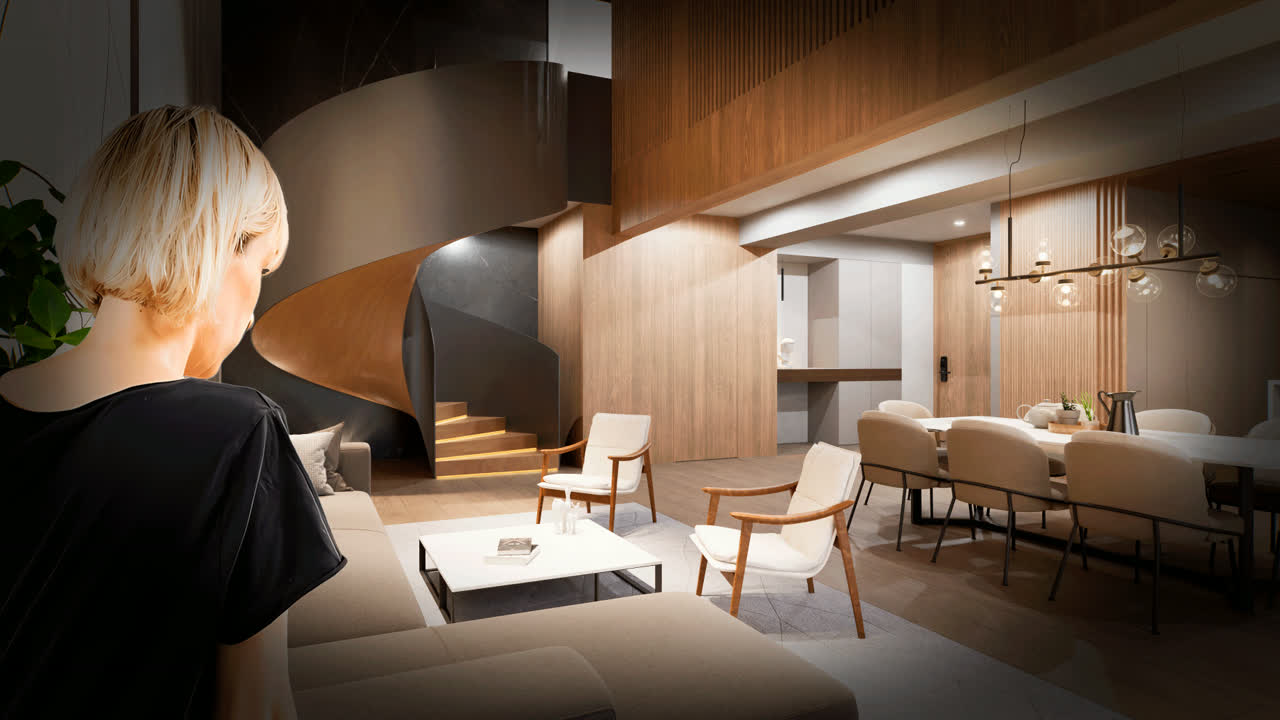
A virtual sales room gets built on top of your project, so there is nothing to buy off the shelf. And the result depends less on the technology than on the process: what information is handed over, what is decided at the start and how the team that will use it is prepared.
This is the complete process, from drawings to a published tour, in eight steps. It is the one we follow at Inviewd, and it also works as a checklist to evaluate any proposal.
Want to see this on your project? Book a free demo
Step 1. Gather the project information
The model is built from what the developer provides. At a minimum:
- Architectural drawings in PDF, DWG or RVT: floor plans, sections and elevations. If the project uses BIM, even better.
- Finish specifications: floors, tiles, countertops, fixtures and woodwork, with their references.
- Unit types and their location on each floor.
- Site plan and landscaping: amenities, access points, parking and landscaping.
- The surroundings: photos or drone video of the lot to reproduce the real view from each height.
- Sales information: areas, prices, availability and payment options.
The general manager of Grupo Koi puts it this way: the developer has to hand over the information with a good level of detail before moving to the virtual model, "practically a construction set. The quality of the model depends a lot on the quality of that information."
Step 2. Define the scope
Before modeling, decide what the room will show and where it will be used:
- Which unit types can be toured in first person.
- How many finish combinations the buyer will be able to switch live.
- Which amenities and views are shown.
- Which assets come out of the model: renders, video, 360° tours and the interactive application.
- Which channels it will live in: the physical room, the project website, video calls, the agent's WhatsApp and trade fairs.
Deciding this up front avoids the most common cost overrun: scope that grows halfway through. We explain what drives the price in how much 3D visualization costs, and what must and must not be included in what a virtual sales room should contain.
Step 3. Build the project in a graphics engine
This is where a render and a sales room part ways. The complete project (building, surroundings, amenities and every unit type) is built in a high-performance graphics engine such as Unreal Engine, the same kind of technology behind the most realistic video games. What comes out is a space the buyer explores in real time, with the light that matches the project's orientation and the view that matches each floor.
At Inviewd we also use artificial intelligence to improve the quality of images, videos and 360° tours, and NVIDIA upscaling and frame generation technology so the interactive tour looks sharp and smooth. We explain it in what a real-time graphics engine is.
Step 4. Review with the developer
The model goes through review rounds so that dimensions, finishes, furniture and views match the project. It is a detailed process, Koi's general manager recalls conversations like "I like the sheet to look folded, I want it white or beige", and the number of included rounds should be in writing from the start.
One benefit tends to surprise people. Walking through the project in 3D, the developer finds design decisions that could not be seen on the drawings. Fixing them in the model costs little; on site, a lot.
Step 5. Add the sales layer
A sales room is more than a tour. In the same place, the buyer has to find areas, prices, availability per unit and a way to talk to an agent: book a meeting, open a WhatsApp chat or ask for a call. If they have to go looking for a PDF, the moment is lost.
Step 6. Publish across every channel
The same model is published once and reaches everywhere:
- On the web, with nothing to install. With pixel streaming, the model runs on a server and the buyer receives interactive video, so it opens on any phone.
- In the physical room, on a touchscreen the agent operates.
- On video calls, with the agent guiding the tour. We explain it in how to present a project over a video call.
- On the agent's WhatsApp, as a 360° tour the buyer opens in the chat.
- On social media and listing portals, as renders and video from the same model.
Step 7. Train the sales agent
The virtual sales room is a tool used every day. The agent has to navigate it fluently and have a script: start with the surroundings, take the buyer to their unit type, show them the view from the floor they are interested in, change the finishes in front of them and close with availability. If they are not using it in the first week, something needs adjusting.
Step 8. Measure and update
Measure how many tours are opened, how many end in a meeting and how many meetings end in a reservation, by channel. And keep the model up to date. When a finish changes or construction progresses, the model is updated instead of remaking separate pieces.
When to start
As early as possible. Because the model comes from the drawings, the virtual room can be ready before the physical one and before construction, working with the buyers who are far away from the first day of pre-sales. If you are also setting up a physical room, follow how to set up a real estate sales room; to combine the two, the hybrid sales room.
Three mistakes to avoid
- Starting with half the information. Every decision made during modeling is one more round of changes.
- Asking for a room that only works at the trade fair. If it needs headsets, an app or a powerful computer, it will not reach the buyer at home.
- Delivering it without training the team. The most complete tool does not sell if the agent goes back to the PDF.
Frequently asked questions
What do you need to create a virtual sales room?
The project's architectural drawings, the finish specifications, the unit types, the site plan with the amenities, material on the surroundings such as photos or drone video, and the sales information: areas, prices and availability.
Can a virtual sales room be created before construction?
Yes. The model is built from the drawings, so the virtual sales room can be ready before construction starts and before the physical room exists.
Does the buyer have to install anything?
No. With pixel streaming the model runs on a server and the buyer explores it from the browser on their phone or computer, without downloading any app.
What happens if the project changes during sales?
The model is updated: the finish, layout or furniture is changed in the same file, and every asset that comes from it stays up to date.
Ready to accelerate the sale of your project?
We build your project once in Unreal Engine, and the renders, video, 360° tours and interactive sales room all come from it, ready for any phone.
Request a demo